Tag: Autonomous

Your Options to Migrate Data Into Autonomous Database on Oracle Database@Azure

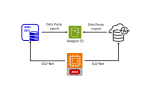
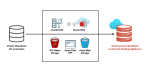
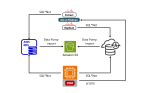
Introduction Customers can deploy Oracle Autonomous Database Serverless (ADB-S) on Oracle Database@Azure to benefit from Autonomous Database features in the Azure’s data center, next to their Azure applications, ensuring low latency and high performance. This blog post highlights the options to migrate your data from an Oracle database on-premises to ADB-S on Oracle Database@Azure. Option…

A Java Example for Oracle Application Continuity with Autonomous Database

Introduction Oracle Application Continuity hides database interruptions from end-users and applications. A simple test using SQL*Plus was discussed in this blog post. However, SQL*Plus is usually not your real application that will be used in production. Also, SQL*Plus is not a pooled application, and it’s recommended to use Connection Pools for Application Continuity. This blog…

Greater Security with Crypto-secure Data Management in Oracle Autonomous Database

Introduction Oracle Autonomous Database provides a fully automated, self-securing database service with a wide range of security features, including: Always-on Transparent Data Encryption (TDE) to secure your data at rest. Automated encrypted backups. SQL*Net encryption for client connections. Oracle-managed and customer-managed encryption keys. Access Control Lists to restrict access to trusted sources only. Database Vault…

10+ Reasons why AWS RDS is not an option for Oracle Database High Availability

Introduction AWS Relational Database Service (RDS) provides a managed service for several database engines, including Oracle. It offers automation for administration tasks like provisioning, patching, and backup. Hence, it is often compared to Oracle Autonomous Database on Shared Exadata Infrastructure. However, the differences are tremendous, especially (and not only) regarding database high availability. This is…

50 seconds to your first CREATE TABLE statement

Do you want to develop an application and need a database? Create an Oracle Autonomous Database, download the Client Credentials, connect to the database, and create your first table, all in 50 seconds. Without pre-installing any tools. Open the Cloud Shell in your Cloud Console and execute the following few lines after adjusting the values…